
AI Text to Video Generator
Turn one English prompt into a private MP4 with AI text to video. Pick Kling for a silent 5-second clip or Veo for text to video with audio, 6 seconds at 720p.
- From 140 credits per clip
- Text to video
- 5s / 10s
- Audio available
What scene would you like to create?
Choose a scene to fill in the subject, setting and motion. No image upload needed. These are editable prompt drafts, not recorded outputs.
More settings · 16:9 · 5s
16:9
Fixed at 5 seconds
Silent output
Checking generation and private storage configuration.
Billing and delivery
This page makes landscape clips from text: Kling 3.0 Pro at 5 seconds and silent, or Veo 3.1 Fast at 6 seconds, 720p with generated audio, charged once at the quote shown. If generation fails or the file fails our check, the credits come back automatically. Finished clips stay in My videos.
Sample result
5s · MP4About text to video on Cicadas
Make a short landscape video from one English prompt with AI text to video. Describe a single continuous shot, then choose Kling 3.0 Pro for a silent five-second MP4 or Veo 3.1 Fast for a six-second 720p MP4 with generated audio. You see the exact credit quote (140 or 225 credits) before you generate, and the finished text-to-video clip stays private in My videos.
Text to video examples made on Cicadas
Somewhere beyond ordinary.
Write the world you want to see. Start with a cinematic desert shot.
Use this recipe ↗Give the scene a sound.
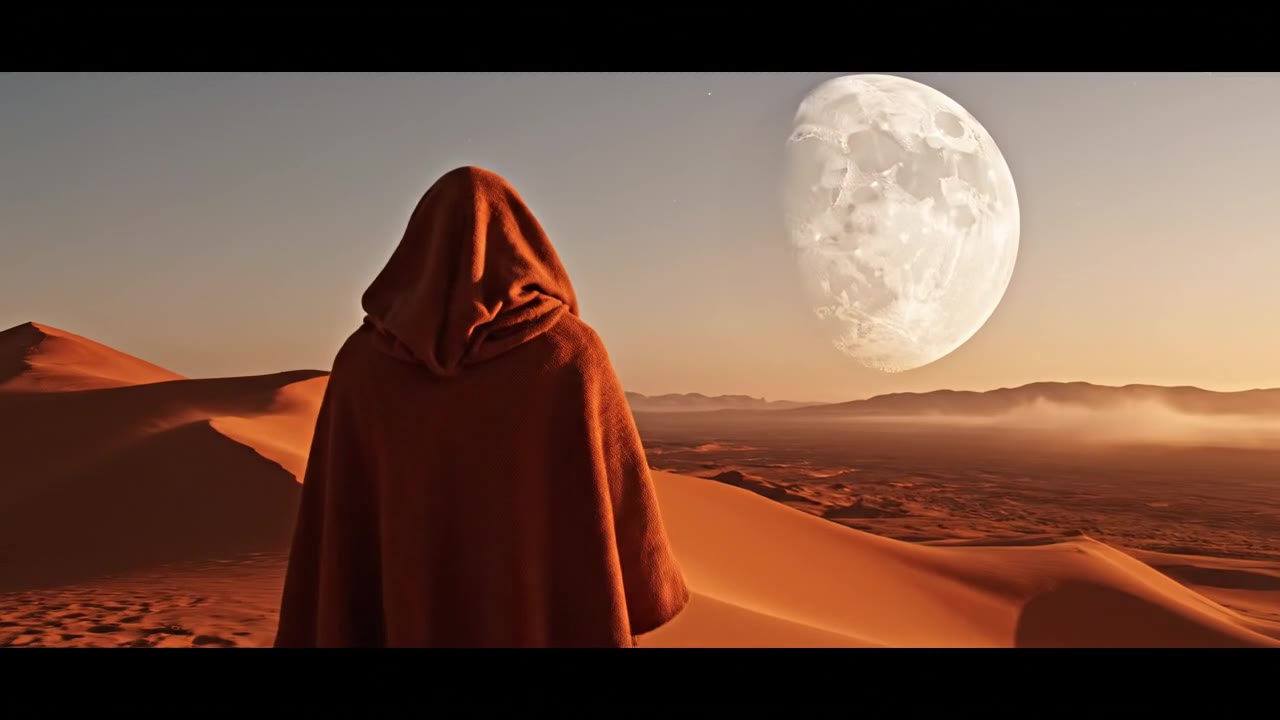
A wide desert shot with generated sound. The recorded audio has footstep-like taps and a low thump; it does not establish exact environmental sound control.
Use this recipe ↗Gulls over the harbor.
Kling 3.0 Pro text to video at 5 seconds, silent. Seagulls lift off a stone pier at dawn as fishing boats rest on calm water, with a slow sideways camera move and pastel light.
Use this recipe ↗Why use Cicadas for text to video
Text to video with or without sound
Kling 3.0 Pro makes a five-second, 16:9 silent MP4 for 140 credits. Veo 3.1 Fast makes a six-second, 720p, 16:9 MP4 with generated audio for 225 credits. Length and format are fixed for each model.
Turn one prompt into a single-shot video
In English, name the subject, the setting, one main action and the camera move. The sample videos are single continuous shots; a new prompt can still come out with different composition, motion or timing.
Pay once and keep your AI video private
The quoted credits are charged once. If generation fails or the MP4 fails our file check, the credits come back. A finished video you don't like is still charged, and it stays private in My videos.
How to use text to video
- 01
Choose Kling 3.0 Pro for a silent five-second clip or Veo 3.1 Fast for a six-second clip with sound.
- 02
Write one English prompt with the subject, setting, one main action and the camera move.
- 03
Check the 140- or 225-credit quote, generate, then download the MP4 or reopen it later in My videos.
Text to video prompt ideas
Copy one into the prompt box above and adapt it to your shot. Or write your own shot by shot in the prompt generator.
“A cinematic wide shot of a lighthouse on a stormy cliff at night, waves crashing, beam sweeping through rain, slow forward camera move, one continuous take.”
“An elderly craftsman carving a wooden mask in a candle-lit workshop, close-up on hands, wood shavings falling, locked camera, one continuous shot.”
“A futuristic city street at golden hour, flying cars passing above pedestrians, slow forward camera move, one continuous take, no text or logos.”
Text to video FAQ
Tested on Cicadas · reviewed 2026-09-30
Three clips made on Cicadas: moonrise and a harbor at dawn with Kling 3.0 Pro (5 seconds, 16:9, silent) and desert-sound with Veo 3.1 Fast (6 seconds, 720p, 16:9, generated audio). Each shows its request ID and date. None guarantees how closely a new prompt is followed, or its anatomy and timing.
Updated Sep 29, 2026 · How we test
Related tools
 Kling 3.0 Pro · Recorded Cicadas sample
AI Image to Video Generator
Photo to video from one upload: add a JPG, PNG or WebP and get a silent 5-second Kling or 6-second 720p Veo MP4. AI image to video with the price shown first.
Kling 3.0 Pro · from 140 credits
Tested 2026-09-29
 A prompt fitted to a model · no video is made
AI Video Prompt Generator: One Brief, Fitted to the Model
Free AI video prompt generator: fill in subject, action, camera, look and sound, pick a model, get a prompt within its limits and open it in the generator.
Free · runs in your browser
Tested 2026-10-08
 Veo 3.1 Fast · Recorded Cicadas sample
AI Video Generator with Sound
Describe the action and the sound, and get a 4, 6 or 8 second Veo 3.1 Fast MP4 with an audio track. AI video with sound effects, ambience or dialogue.
Veo 3.1 Fast · from 100 credits
Tested 2026-09-30
Veo 3.1 Fast · Recorded Cicadas sampleVeo 3.1 Fast AI Video Generator
Turn text, one image or a first and last frame into a 4-, 6- or 8-second Veo 3.1 Fast video at 720p or 1080p, sound optional. See the credit quote first.
Veo 3.1 Fast · from 100 credits
Tested 2026-09-30